Conference Room
How to Run a 90-Minute Client Workshop in Fullerton
Published Last updated 3 min read
A 90-minute workshop can get a client decision made when everyone knows what they’re there to decide. This agenda is designed for a small group that needs to leave with one decision, one owner, and a date for the next step. It works for a website kickoff, a project reset, or a short planning session.
Put the decision in the invitation
Write a sentence you could read back at the end: “We’ll choose the first audience for the new website and agree on what the first draft must cover.” Invite someone who can make that decision, someone who understands the constraints, and the people who will do the work. Send a one-page brief in advance with the decision, two or three options, and anything already settled.
Use this 90-minute agenda
- 0–10 minutes: Set the target. Read the decision aloud and agree on what’s out of scope.
- 10–25 minutes: Share the facts. Put the deadline, constraints, and criteria on the whiteboard. Save unresolved questions in a separate list.
- 25–45 minutes: Develop options. Give everyone five quiet minutes to write down ideas. Group similar ideas, then narrow the list to two or three.
- 45–50 minutes: Take a break. Leave the options visible so everyone can return ready to compare them.
- 50–70 minutes: Compare and choose. Test each option against the agreed criteria. For a website kickoff, those might be customer need, evidence you already have, and what you can deliver this month. Ask the decision-maker to choose and state why.
- 70–90 minutes: Assign the next step. Write down the decision, the responsible person, the due date, and anything still open. Read it back before people leave.
Book time for setup and cleanup
For a 10:00 to 11:30 a.m. workshop, request a 9:45 to 11:45 a.m. reservation if available. Use the first 15 minutes to test the laptop and display, lay out materials, and write the decision prompt. Use the last 15 to pack up and capture the notes. Count the facilitator in your headcount. Bring the right display adapter and ask everyone before photographing a board with client information on it.
Make the room and follow-up work for you
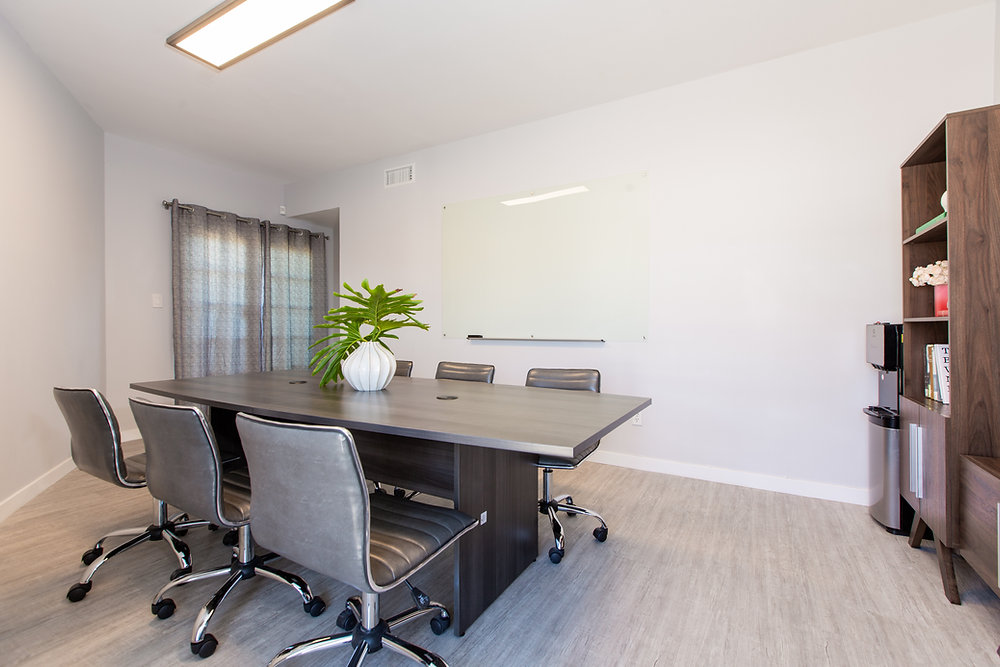
The ZworkSpace Conference Room in Fullerton seats up to eight and lists a wall-mounted HDMI display, whiteboard, Wi-Fi, and covered parking. Ask about availability for your full reservation window and confirm the equipment you need. After the session, send the client a short recap with the decision, the owner, and the due date. That’s the record they can use to move the work forward.